BETA1 Stick and 1 Prime Tree Seed
A two-item bundle: check for both rewards after acceptance.

Raid gardens. Grow valuable plants. Build a faster route.
Raid gardens for seeds, grow plants for cash, and develop your garden in this Roblox Simulation and Tycoon experience.
This is an unofficial fan-made guide. Roblox and Steal A Seed belong to their respective owners.
Recently published or revised walkthroughs, ordered by article date. Explore the latest additions to the Steal A Seed wiki.
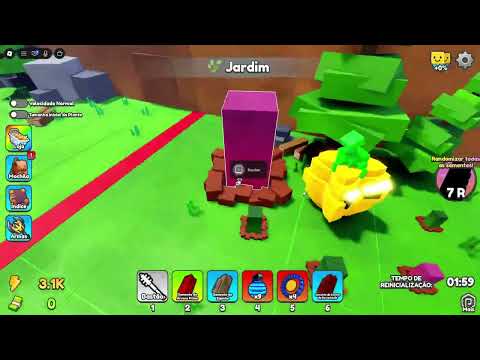
Check the current code status and redemption guidance. Learn how to recognize unsupported reward claims before trying a code.

Give your next cash purchase a purpose. Compare speed and planting capacity against the bottleneck you actually observed.

Understand your cash balance: distinguish income, spending, and money available for a purchase before interpreting your progress.
Find where your cash loop slows down: empty planters, interrupted returns or poorly timed upgrades. Measure improvement across comparable runs.

Check active planting space and collection habits. Compare garden output over similar sessions without assuming unverified payout values.
Start with one complete seed run: choose a target, return safely and plant. Build a repeatable routine before chasing harder targets.
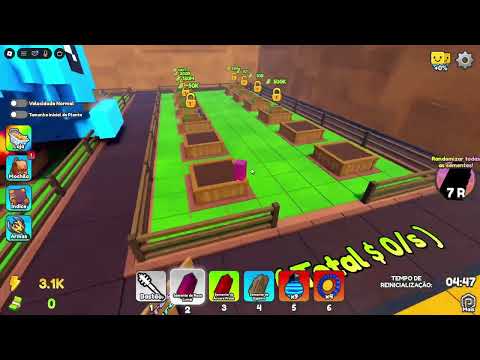
Understand how the gameplay systems connect. Find the guide for the part of the game you are learning next.
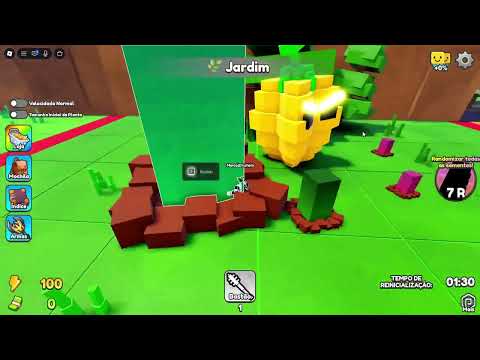
Review your session habits and avoid preventable mistakes. Choose a practical improvement instead of chasing unsupported shortcuts or exploits.
Explore the mutation hunt. Separate observed outcomes from unverified methods before treating a plant result as a repeatable strategy.
Pick the guide for your next goal: steal seeds safely, understand plant mutations, train speed or unlock more planting space.

Choose a reachable seed, plan your exit and carry it home. Learn what to check before a theft and after a failed run.
Recognize visible plant traits and keep mutation observations separate from size. Compare results without relying on invented odds or prices.
Fit speed training between garden runs. Use a repeatable route to check whether time on the treadmill makes your next return safer.
Check whether occupied planting space is limiting your garden. Review the live unlock requirements before committing cash to another planter.
New to Steal A Seed? Learn the controls through one complete garden cycle. Start at the checkpoint matching what you currently have: nothing collected, a carried seed, a planted plot, or your first plant income.
First goal Turn a successful pickup into a source of cash. Each checkpoint below has a visible finish line, so collecting a seed is not mistaken for completing the whole cycle.
Already started?Resume at your first unfinished checkpoint.
Starting with no seed and unfamiliar controls.
Carrying a seed, but not yet ready to grow it.
At home with a seed and available planting space.
With a planted garden, learning how its result becomes useful.
Stop the tutorial here. Upgrade priorities, route tactics, and cash budgeting are separate decisions below; you do not need to master them before completing your first garden cycle.
Read the full beginner guideExpand each checkpoint with beginner explanations.Four reported rewards from the Steal A Seed codes hub, checked on September 13, 2026. Copy a string here, redeem it inside the game, then use the response to decide whether the claim succeeded.
BETAA two-item bundle: check for both rewards after acceptance.
BUG005The reported reward is a seed, not a finished plant.
BUG006An item reward rather than a direct cash payment.
BUG007Separate from BUG006; the final digit identifies a different claim.
Looking at a Steal A Seed recommendation and wondering whether to trust it? This is a comparison method, not a verified power ranking. Rate a candidate only for a stated purpose and the evidence behind that claim.
Use focused seed, plant, mutation, size, and upgrade frameworks.
Use this label when a recommendation explains both what it improves and how that was demonstrated. A claim about convenience can be well supported without proving the highest income. The useful result is a specific recommendation, not an unexplained best-in-game badge.
A guide may recommend a candidate only for a particular setup or group. Keep that condition attached to the rating. If your account lacks the required setup, the recommendation can still be valid for its intended audience without being the right answer for you.
Leave the candidate unranked when you cannot tell how the result was produced. Unknown is not the same as bad. Ask for the missing comparison before treating an attractive result as either a reliable recommendation or a failed option.
Seed, plant, mutation, size, and upgrade rankings answer different questions; one winner does not automatically transfer to the others.
Already comfortable with basic pickups? Use this tactical route brief when other players change your exit. The goal is a clear commit, reroute, or cancel decision, not a promise that any path is safe.
Choose a stationary landmark visible from the pickup position: a recognizable corner or boundary, not another player. Mentally separate the first turn from the longer trip home.
Watch the obstruction before deciding. A player moving across the opening may clear it; someone remaining at the opening creates a different decision. Switch only to an alternative you already inspected. A route is not safer merely because it looks shorter from where you stand.
Agree on a carrier and an observer before the run. The observer watches the exit and reports a change; the carrier handles movement. Use a named landmark instead of left or right when players face different directions. This is a coordination suggestion, not a special in-game role or ability.
Your seed has reached the garden, but something does not match expectations. Choose the symptom below to distinguish interaction failure, unresolved growth, and a misunderstood plant result.
You have a seed at home, but cannot place it.
Separate the casesA missing prompt and a visible but rejected interaction are different problems. First establish which one you have; repeated clicking will not distinguish them.
A planted slot has not reached the result you expected.
Separate the casesNot being ready is not proof of a fault. Use the state of this particular slot; another seed or an older video does not establish its completion time.
A finished plant does not resemble the example you expected.
Separate the casesSeed identity, plant size, and mutation are separate attributes in the game's description. A visual difference does not establish which attribute changed.
Your Steal A Seed garden works, and you are choosing the next improvement. Diagnose the constraint before spending: more planting space helps a queue, while treadmill training addresses movement. This section chooses the purpose of an upgrade; the cash section handles affordability.
Compare the recurring constraint, not one awkward run or a temporarily full garden.
Stage · Empty space and infrequent activity
Empty slots caused by infrequent supply do not call for additional capacity. If movement is not preventing your attempts, training is not the missing ingredient either. Use the resources you already have until a specific limitation emerges.
Already know what you want to buy? Turn your displayed balance and price into a spending decision. These examples use invented round numbers to explain the arithmetic, not actual game prices, payout rates, or guaranteed saving times.
You have chosen a goal. Decide what money is reserved for another known expense before adding purchases to the plan.
Your chosen purchase costs 900, but the available budget is 750. Estimate the missing 150 using repeatable earnings rather than your best isolated payout.
Lost between interfaces rather than stuck on a mechanic? Match the action you want with its destination and identifying cue. This is a function lookup, not a coordinate map; the same screen position may show something different after moving or turning.
For finding a seed interaction.
For working with your planted slots.
For accessing Speed training.
No. This is an independent player resource, not Rainbow Isle Tycoon's website. Gameplay suggestions are editorial guidance; the developer controls the experience and its updates.
An article captures a particular version and context. Menu wording or requirements may change later. Use the live game for current requirements rather than treating an older screenshot as a permanent specification.
No. That row follows the publication or revision dates of wiki articles. A newly edited guide is not evidence of a developer update; game update coverage is a separate destination.
Yes. Reading guides requires no Roblox sign-in. Playing the experience is separate; follow the official Roblox link when you are ready to join.